Key takeaways
- Goose can work with multiple LLM providers, including local models.
- Its harness can reuse context, skills, hooks, memory, and focused subagents.
- Tool permissions and external isolation are separate controls.
What is the point of an agent harness?
The point of an agent harness is to make a model useful inside a real system without pretending that the model is the whole system. A model can reason through a task. The harness around it helps it gather context, use tools, operate within configured boundaries, request approval, and carry work forward. That is the practical distinction behind an agent harness: the model generates and reasons, while the surrounding system shapes the work it can do.
For a coding agent, that surrounding system can include session management, context delivery, tool design, architectural enforcement, failure recovery, and human oversight. It excludes the model itself. One useful description of the category makes the boundary clear: the harness is where operational responsibilities live, not a substitute name for the model.
The model remains outside those operational responsibilities.
That boundary changes how to evaluate Goose. A long feature list will not tell you whether an agent has the right instructions at the right time, whether a tool can act too broadly, or how a workflow checks its own completion. Those questions live in the control surface.
This framing also avoids a common category mistake. Model choice can affect what appears in a session, but it does not answer whether project direction is loaded automatically, whether a workflow has a completion check, or whether a human sees a tool request. A harness review starts with those surrounding responsibilities because they determine how the model's work enters the system.
In practice, the harness is where a task becomes a sequence of controlled interactions. Context gives the model relevant direction. Tools let it act. Configured boundaries and approval requests limit or expose that action. Session management and recovery give the work an operating life beyond one response, while human oversight remains part of the system. These responsibilities are distinct, which is why a model comparison cannot settle a harness choice by itself.
The Goose agent harness component map
Goose exposes several control layers, but they do not all own the same responsibility. The map below is a practical way to read its architecture before you judge fit for a development workflow.
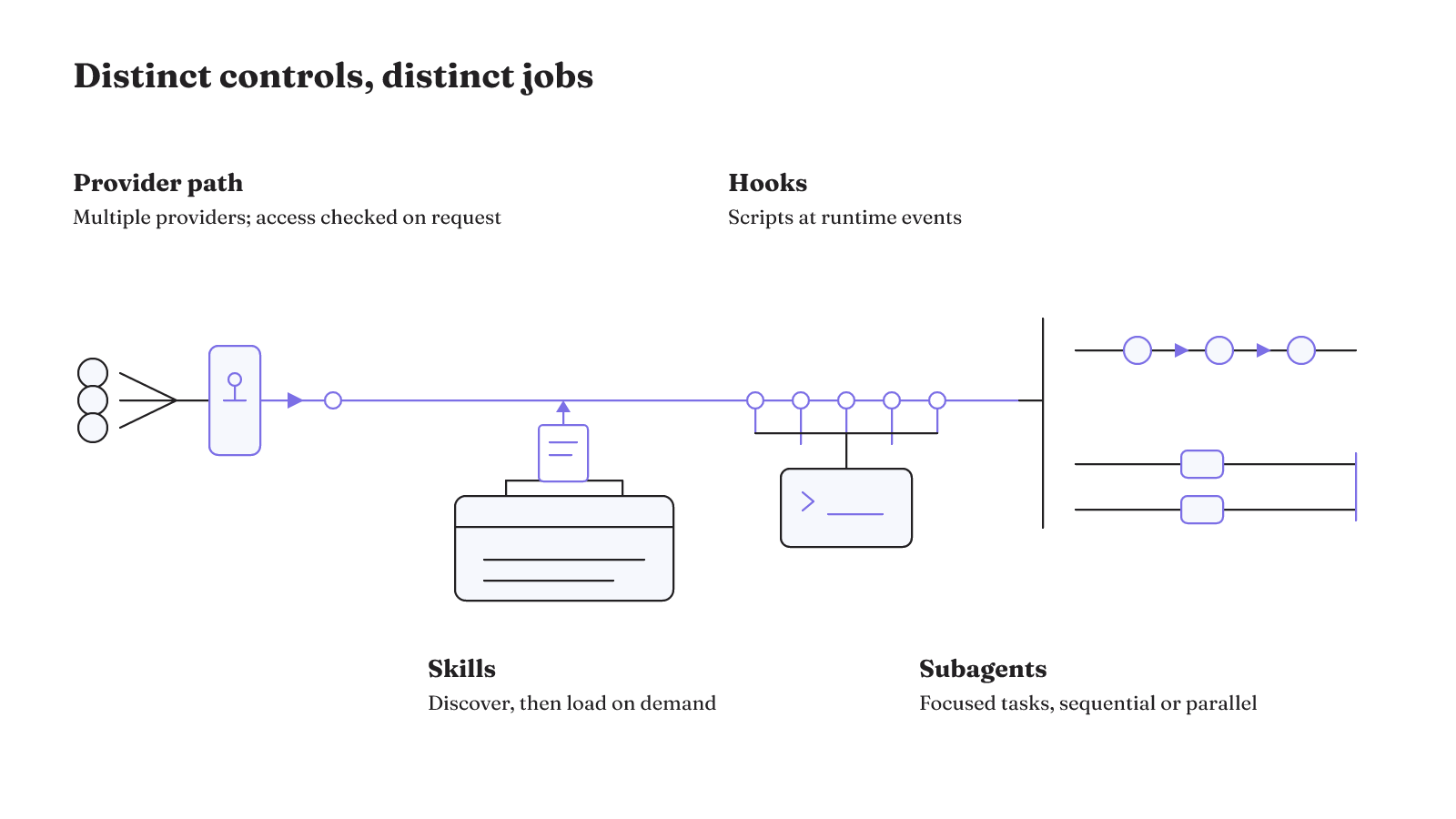
| Layer | Goose responsibility | Outside dependency or decision |
|---|---|---|
| Model and provider | Goose can work with multiple LLM providers, including local models. For the Z.AI Coding Plan provider, Desktop discovers models from the configured endpoint. It supports streaming and tool streaming, and preserves reasoning_content across tool-result turns. | A listed model is not the same as subscription access. For that provider, access is checked when a request is sent. |
| Skills extension | The built-in Skills platform extension is enabled by default. At session start, Goose adds discovered skill names and descriptions to its instructions, then can load full instructions when a request matches a skill or a user asks for it. | You decide which reusable instructions and resources belong in a skill. |
| Hooks and runtime events | Hooks can run scripts at session start, prompt submission, tool calls, file edits, and shell-command execution. | You decide what each script does and which event should trigger it. |
| Subagent execution | Goose can delegate focused tasks to isolated subagents that run sequentially or in parallel. | You decide whether the task benefits from delegation and how the work is divided. |
Provider access, skill contents, hook scripts, and task division are not interchangeable settings. A provider can supply a model path. A skill can supply reusable direction. A hook can run at a named event. A subagent can take a focused task. These mechanisms have separate roles.
How does Goose receive reusable context?
Goose lets you define background knowledge, preferences, and workflows once instead of repeating the same instructions. It can automatically load project context, preferences, and instructions from AGENTS.md, .goosehints, and other files. The documented context paths are useful when a repository already has directions that should accompany work.
Skills handle a different kind of reuse. They package workflows, scripts, and other resources into reusable instruction sets that can be loaded on demand. The practical question is whether the knowledge should be present with the project automatically, or brought in only when a task calls for a particular workflow.
That distinction keeps persistent project direction from turning into a catch-all instruction block. Project files can carry the background that should follow the repository. A skill can hold the resources and workflow that only matter for a particular kind of request. Both are context, but they arrive at different moments in the work.
The choice affects routine work. Automatic project context can make shared preferences and instructions available without repeating them. On-demand skills can keep a specialized workflow available without making it the default response to every task. Use the path that matches the scope of the direction.
How much work can one Goose skill capture?
A Goose skill can be as small as a checklist or as detailed as a domain workflow. That range matters because reusable instructions need not become a giant manual. A compact skill can carry the few checks that define a recurring task. A larger skill can carry a detailed workflow when that work has more moving parts.
Supporting files can travel with the skill. Goose's skill guidance says those files can include scripts and templates. This gives a workflow a place for exact resources without placing every detail into a single prompt.
Consider two shapes. A checklist skill can hold a short recurring set of steps. A detailed domain-workflow skill can include its instructions alongside scripts and templates that support that workflow. Neither shape is inherently more mature. The right question is whether the skill gives the agent the instructions and resources the task actually requires.
This is also where verification belongs in the workflow itself. Verification steps in a Goose skill help Goose confirm that a workflow completed successfully. A workflow that can name its completion check is easier to inspect than one that ends when the conversation simply sounds finished.
The checklist shape is appropriate when the work is small enough that the instructions can stay short and visible. The detailed-workflow shape is appropriate when the instructions need supporting scripts or templates. In both cases, the skill is an operational package: it combines the direction with the resources needed to carry it out. The package does not remove the need to decide what should be checked. It gives that decision a durable place in the workflow.
A useful skill therefore has a clear boundary. It tells Goose what the workflow is for, gives it the files that belong with that work, and includes the verification step that marks completion. That is more concrete than hoping a general chat history will preserve the right procedure.
Is Goose Agent good for real development work?
Goose has both a graphical chat interface and a command-line interface. It supports MCP integrations, and it provides chat history and named sessions. Those surfaces let a team or individual choose an interaction style without changing the basic question: can the harness keep the work legible as it moves between context, tools, and sessions?
The graphical interface and command line are two ways to work with Goose, not two competing harnesses. Chat history and named sessions give work a session surface. MCP integrations give it an integration surface. They can matter to the same workflow, but they answer different practical needs. A named session is about locating work. An MCP integration is about connecting an external capability.
There is also a CI/CD path. A GitHub Action can install and cache Goose for CI/CD workflows. That is a deployment surface, not a verdict about a workflow's quality. The useful question is still whether the workflow has the appropriate instructions, checks, authority, and isolation for the environment where it will run.
The presence of a CI/CD installation path does not make an interactive workflow and an automated workflow equivalent. The documented action establishes that Goose can be installed and cached in CI/CD. The rest of the adoption decision remains in the control surface: what context reaches the task, which tools are available, and where approval or isolation must sit.
One practitioner account offers a concrete but limited example. In more than two weeks of daily use, Goose was the primary development environment for almost all of that practitioner's challenges, including CI automation, hand-gesture-controlled applications, and MCP servers with UI. Those named examples show that the interface and integration surface can be used across varied development work. They do not establish a universal performance result or decide whether Goose is good for your workflow.
Our answer to "Is Goose Agent good?" is therefore conditional, not evasive. It has documented interfaces, integration points, sessions, skills, hooks, and delegation mechanisms that are relevant to real work. Whether it is good for a particular workflow depends on the control boundaries that workflow needs. The permission boundary is the place where that decision becomes most concrete.
Tool permissions create a real adoption tradeoff
Tool permissions are not a minor settings detail when a coding agent can invoke a shell. In a reported Goose developer-extension configuration, Ask Before prompted for every command, including git status, ls, and cat. That behavior can put a human approval point in front of harmless read-oriented commands as well as more consequential ones.
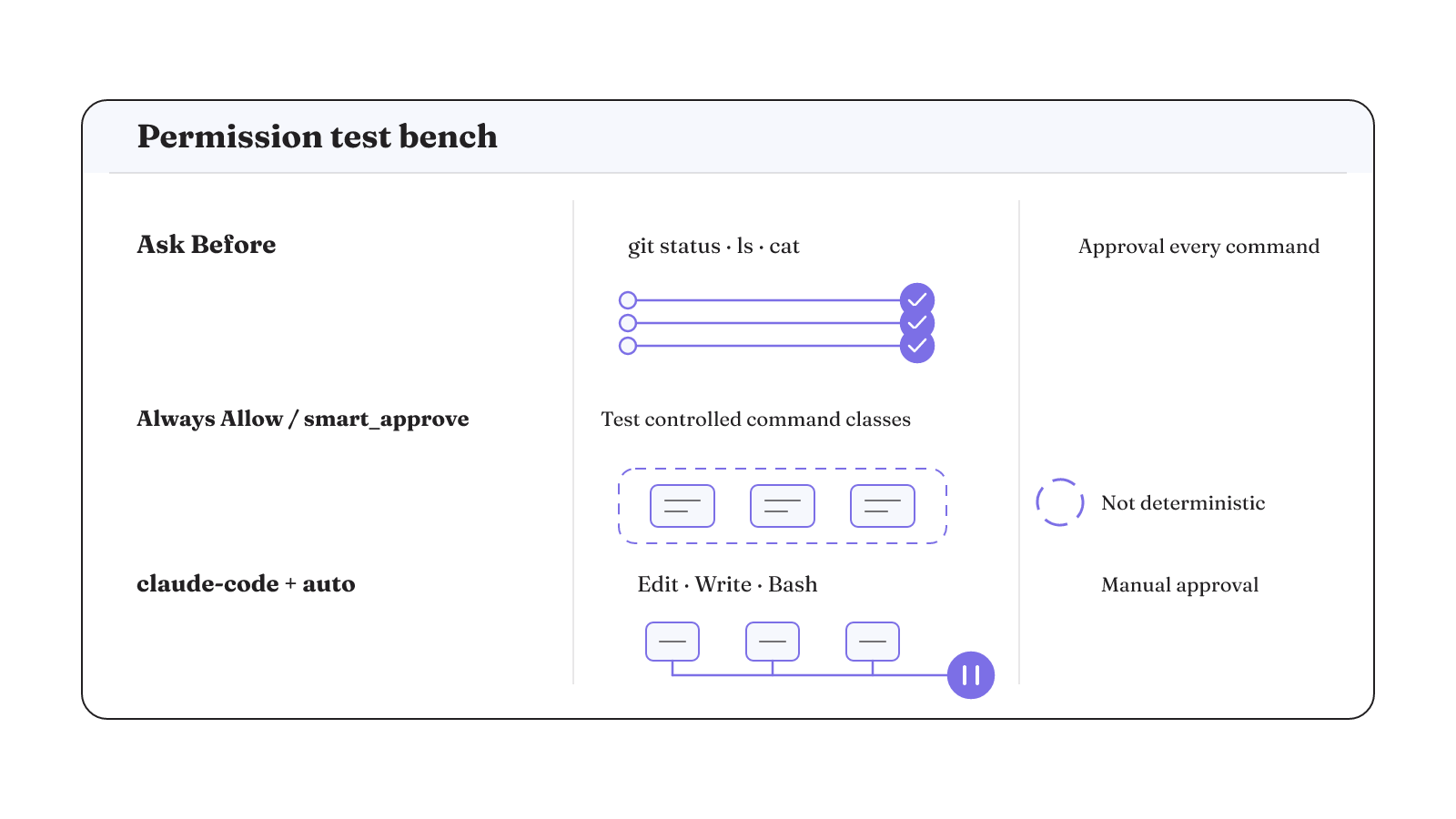
The opposite setting does not create a neat command-class safety policy. The issue report says Always Allow and smart_approve's LLM read-only classification did not provide deterministic protection against specific shell-command classes. Separately, with the claude-code provider and GOOSE_MODE set to auto, Goose continuously requested manual approval for Edit, Write, and Bash in the documented configuration. These are issue-scoped reports, so treat them as behaviors to check in the exact provider and configuration you intend to run.
Before adoption, run three permission checks against that setup:
- Under Ask Before, invoke
git status,ls, andcatand observe whether every command requests approval. - Under Always Allow or smart_approve, attempt the command classes your workflow must keep under deterministic control and observe the resulting authorization behavior.
- With the claude-code provider and
GOOSE_MODE=auto, invoke Edit, Write, and Bash and observe whether manual approval is requested.
These checks will not tell you whether the agent writes good code. They answer a narrower and more important question: how much authority and interruption your actual workflow carries.
The reported behavior also explains why a single permission label is not enough for a harness decision. Ask Before can create approval friction even for git status, ls, and cat. Always Allow and smart_approve did not establish deterministic protection for specific command classes in the issue report. The claude-code provider configuration shows that provider and mode can change the approval experience. Run the checks where the work will actually happen.
What should replace a best-harness ranking?
There is no useful universal answer to "What's the best agent harness?" A harness is a fit for a workload only when its context, state, verification, authority, and isolation match the work. Use an unscored scorecard on one bounded workflow and record what you observe. Our five-lever agent harness guide is a useful companion when you want to examine those control choices in a broader model.
| Criterion | Goose mechanism | Decision question |
|---|---|---|
| Project context | Goose can automatically load AGENTS.md, .goosehints, and other context files. | Does the workflow receive the project knowledge and instructions it needs? |
| Context limits | Environment variables can override the main model's context limit and the Ollama input prompt limit. | Are the configured limits appropriate for the model and provider in use? |
| Persistent instructions | Persistent instructions can inject security guardrails and behavioral rules into working memory on every turn. | Which rules must be present on every turn? |
| Cross-session memory | The Goose Memory Extension provides persistent knowledge that Goose can recall across sessions. | What knowledge should persist across sessions? |
| Workflow verification | Verification steps in a skill help Goose confirm that a workflow completed successfully. | What completion check does this workflow require? |
| Tool authority | Permissions apply to tools as a whole. The developer extension's shell tool offered Always Allow, Ask Before, and Never Allow dispositions. | What authority can this workflow grant to each tool? |
| Container and filesystem isolation | Containers and filesystem restrictions are separate from Goose tool-permission behavior. | What external isolation is required beyond tool permissions? |
The scorecard also supports three failure checks that a feature comparison usually misses. Interrupt a bounded task and see what work you can inspect before deciding how to continue. Put stale project context beside the current task and inspect whether the loaded instructions remain the ones the workflow should use. Introduce an incorrect intermediate action in a bounded workflow and inspect the verification evidence before treating the workflow as complete. These are tests of your adoption boundary, not claims that Goose recovers, refreshes stale context, or corrects the action for you.
Use the scorecard to inspect Goose against one bounded workflow. Start with the actual project context, instruction rules, and memory the work needs. Then examine its verification, tool authority, and the isolation outside the permission settings. Our note on authorization boundaries is useful when the workflow reaches a consequential action. That produces a concrete adoption record instead of a best-harness label.