Key takeaways
- The choice is governance, maintenance velocity, capability scope, and hosting model, not brand.
- Almost every system ships two servers: a vendor one and a community fork.
- Default to the vendor server when support matters, the fork when velocity and scope do.
- Exact URLs, full tool lists, and version numbers are not pinned here, on purpose.
You read the vendor docs. You searched for a comparison. You got a page of single-server pages, a couple of identical launch announcements, and a video. None of them told you which server to actually connect, or how to decide when a system hands you two.
Here is the decision, and a scorecard you can carry to any server this page never names.
What an MCP server is, and why "which does the most" is the wrong question
Start with the shape of the thing. MCP is an open standard that lets AI agents connect to and call external tools in a uniform way. It has three parts: a host (your coding agent), a client inside it, and a server that exposes some capability. An MCP server is a small program that publishes specific tools through that protocol. That is all it is.
So the instinct is to rank servers by how many tools each one exposes. That instinct is wrong. Agents do not read your mind about which tool to call. They read the natural-language description attached to each tool, and they pick from that text. A server with forty vague tool descriptions gives your agent forty ways to guess wrong. A server with twelve sharp ones gets the right call on the first try. Tool-description quality is a real selection axis, and no ranking page mentions it.
One caveat up front. MCP is a young standard, and its conventions are still moving. Anything below is a snapshot of a target that shifts, so treat the figures as current-to-writing, not permanent.
The four-axis scorecard
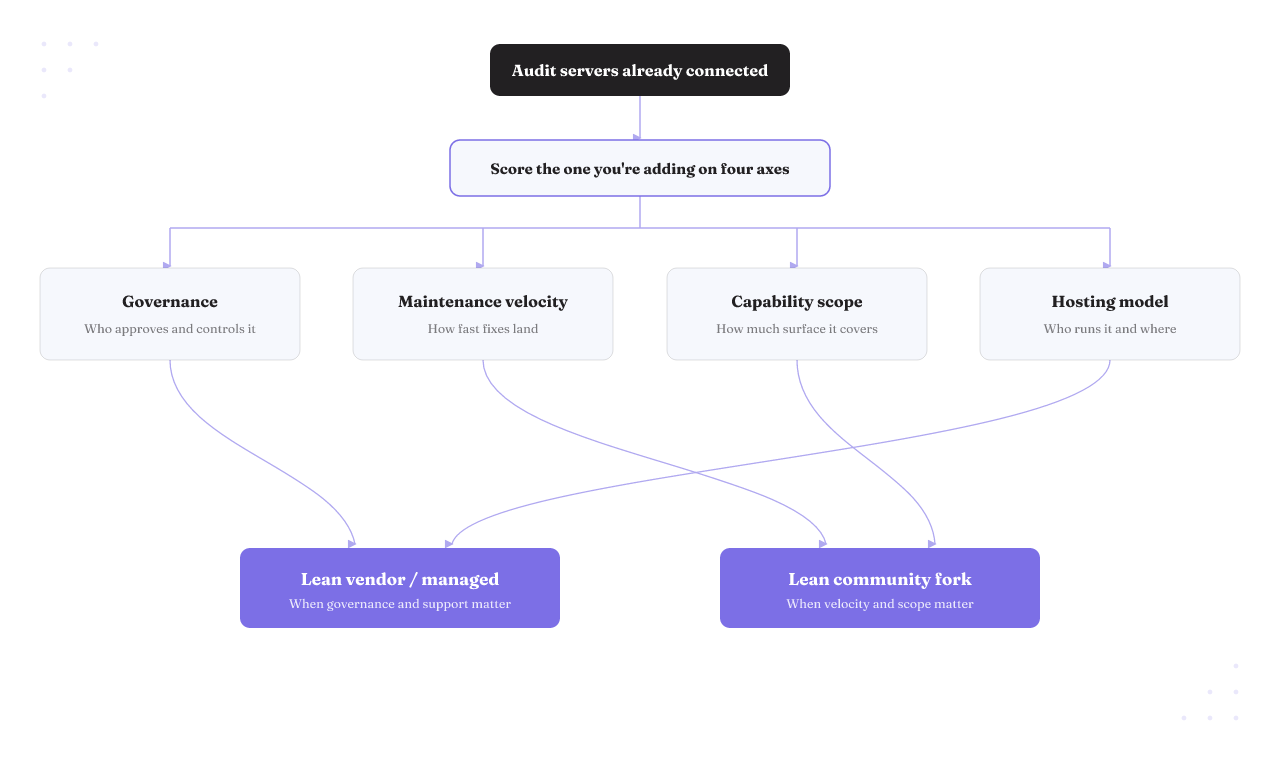
Score any server on four things. Governance: who approves and controls what the server can do. Maintenance velocity: how fast fixes actually land. Capability scope: how much surface area it covers. Hosting model: who runs it and where.
Here is the scorecard applied to the real servers you face today. Each row carries a figure or a date, not an adjective.
| Server | Governance | Maintenance velocity | Capability scope | Hosting model |
|---|---|---|---|---|
| AWS MCP Server (managed) | AWS-supported, vendor-run | GA since May 6, 2026 | Broad AWS API access | Managed, US East + Frankfurt |
| awslabs/mcp (open source) | You own it | ~9.5k stars, fixes mid-July 2026 | Many servers, one monorepo | Self-hosted |
| Slack (vendor) | Workspace-admin approval | Vendor-maintained | Search, message, Slack actions | Vendor, admin-gated |
| korotovsky/slack-mcp-server | You own it | ~1.7k stars, last commit mid-May 2026 | Independent Slack coverage | Self-hosted |
| GitHub (official) | GitHub-maintained | Vendor-maintained | Repos, issues, PRs in-IDE | Vendor, some paid tools |
The table ranks; it does not decree. Star and commit counts move week to week, and the right axis weighting is not the same for a solo developer and a team running twenty agents. Read it as a starting position, then apply the four axes to your own load.
AWS: the managed server or the awslabs monorepo?
This is the cleanest fork in the road, so start here. AWS gives you two front doors, and they split on hosting and maintenance.
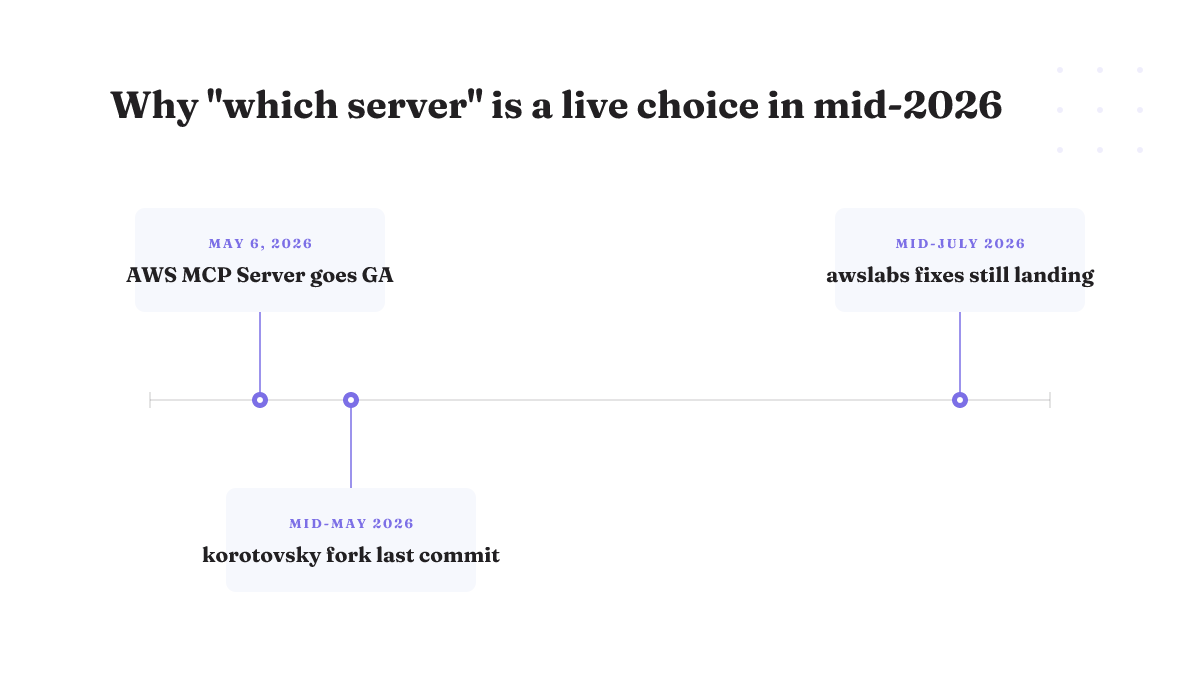
The AWS MCP Server is the managed one. It is part of the Agent Toolkit for AWS, it reached general availability on May 6, 2026, and AWS runs it for you. It is hosted in only two Regions, US East (N. Virginia) and Europe (Frankfurt), though it can make API calls to any Region. That is the AWS API MCP Server most people mean when they search for it. If you want a vendor to own uptime and you can live in those two hosting Regions, this is the pick.
The other door is awslabs/mcp, the open-source monorepo. It is large and active: roughly 9.5k stars, about 1.7k forks, and per-server fixes still landing in mid-July 2026. You self-host it, so you own the config and the updates, and in exchange you get broad server coverage and no wait for a vendor to ship. Pick this when you want scope and control over the exact servers you run, and skip it if you have no one to own patching.
Two honest gaps. AWS setup does not begin with authentication. Step one is removing conflicting MCP servers, then configuring auth, then testing the connection. Overlapping servers are treated as a blocker, not an afterthought, which tells you the multi-server conflict is real enough that AWS put it first. And this page will not hand you the exact server URL, the full tool list, or a current version number, because no primary release-notes source establishes them right now. For those, go to AWS's own documentation and read the live values; a number I guessed here would be stale by the time you connected. That answers the "AWS MCP Server url", "documentation", "tools", "list", "vscode", and "github" questions the honest way: the shape is fixed, the exact strings live in the vendor docs.
GitHub's own MCP server, and the paid-Copilot line
The GitHub MCP server is provided and maintained by GitHub. It works in your IDE through Copilot Chat, and it lets an agent interact with repositories, issues, and pull requests without leaving the editor. That is how you use the GitHub MCP server, and it is the answer to "MCP GitHub", "GitHub Copilot MCP server", and "how to use the GitHub MCP server" in one line.
The access rule has one wrinkle worth knowing before you wire it in. The server is available to all GitHub users regardless of plan. But individual tools inherit the access requirements of the GitHub feature behind them, so some tools cost more than others. The tools that reach the Copilot cloud agent require a paid Copilot license. The server is free to connect; part of what it can do is not.
Unlike AWS and Slack, there is no widely adopted community GitHub-server fork surfaced here to weigh against the official one, so this rests on GitHub's own source. Skip the official server only if your whole workflow lives outside repos, issues, and PRs, in which case it has little to grant you.
Slack: the admin-governed vendor server or the korotovsky fork
Slack is where the governance axis does all the work. The two options are not close on it.
The vendor Slack MCP server lets connected apps search channels, send messages, and take other Slack actions through MCP clients. The catch is the point: workspace admins approve and manage every MCP client integration. Nothing connects without admin sign-off. If you run a shared workspace and you want a person, not a config file, standing between an agent and your channels, that gate is the feature.
The community option is korotovsky/slack-mcp-server. It carries roughly 1.7k stars, 341 forks, and 445 commits, with its most recent commit in mid-May 2026. It is independently maintained, not governed or supported by Slack, so you trade the admin gate and the support line for independent maintenance velocity and full control. Neither answer is universally right. The vendor server for admin control and a number to call; the fork for speed and independence. That covers the Slack MCP auth question, the korotovsky-on-GitHub question, and the "official vs community" question: the auth story is admin approval on the vendor side, self-managed on the fork.
What the ranking pages leave out
Two things every top result buries, and both change your decision.
First, connecting more servers is not free. AWS's own setup starting with "remove conflicting MCP servers" is the tell. Overlapping servers collide on tool names and confuse the agent about which tool to call, which loops back to the tool-description problem: two servers offering a similarly-described tool is exactly how an agent picks the wrong one. Before you add a server, audit what is already connected.
Second, MCP itself strains under production load. One established practitioner's analysis lays out the gaps the launch posts skip: the session model does not scale horizontally without sticky routing, authentication was added late rather than designed in, JSON overhead and round-trip tool calls do not survive heavy load well, and there is no protocol-level cost attribution or quota management. This is reasoned analysis, not a measured benchmark, so treat it as a caution to test against your own traffic. But it is the caution the ranking set omits, and it matters the moment you run agents at scale.
The pattern repeats: a vendor server and a fork, almost every time
The AWS and Slack splits are not special. Most target systems end up with a vendor or official server and one or more independent community implementations, so "which server" is usually "which of these two or three."
Rifty verified this firsthand on a different system: WinDbg, the Windows debugger. There, svnscha/mcp-windbg is a Python, Windows-only server and the most-adopted, actively maintained option. NadavLor/windbg-ext-mcp is an alternative. A separate family built on pybag takes a different technical path entirely. Same shape as AWS and Slack: a leading implementation, an alternative, and a fork on a different architecture, with the brand telling you nothing about which fits your workflow.
WinDbg is an illustration, not a benchmark of the GitHub, AWS, or Slack servers, so its specifics do not transfer. What transfers is the shape of the choice. When you hit a Playwright, Notion, Context7, or file system MCP server you have never evaluated, you already know the first question is not "which brand." It is the four axes.
What this guide will not fake
Some searches that land here deserve a straight "not here" rather than a guess.
There is no "best web search MCP", "free web search MCP", or Claude Code web-search pick below, because no reliable primary source in hand addresses web-search servers, and inventing one would be the exact commodity move this page rejects. The same goes for the exact AWS MCP Server URL and its full tool list, and for any current version number of the AWS, GitHub, or Slack servers: describe them without a primary release-notes source and you ship a stale value. The registry-discovery questions land the same way. Where a fact is not pinned, that is a deliberate choice, not an oversight. A reader who wants a one-line web-search recommendation will not get one here, and that is the honest trade.
Your next move, by where you are
If you are still evaluating, run the conflict audit first. List every MCP server already connected, then apply the four axes to the one you are about to add before you connect it. Lean vendor-managed when governance and a support line matter, the community fork when maintenance velocity and scope matter more.
If you are already connected and something feels off, start from the conflict list again. A silent wrong-tool call usually traces to two servers offering overlapping, similarly-described tools.
Here is where Rifty comes in, and where it does not. The four axes get you to the right server. They do not answer the question that starts the moment that server can write, delete, or ship: is every action it takes legible, confirmable, and reversible by default? That is the discipline Rifty builds. Our writing on the operator's harness and on reversible-by-default tool access is about exactly this: controlling what a connected agent is allowed to do, not just which server it talks to. If you want to see the same four-axis logic on a single-tool decision, our Blender MCP guide walks one server end to end.
Be clear on fit. Rifty is by introduction only, and it is built for operators running many agents from one seat. If you are a solo developer wiring up a single read-only server, it is the wrong tool, and the four axes above are all you need. If you are running a fleet where any agent can change something that matters, that is the seat Rifty was built for.